Hate logging expenses? Let AI do itBest card to swipe · what's left today · split bills
Snap a receipt, say it out loud, or share it in — AI writes the entry for you
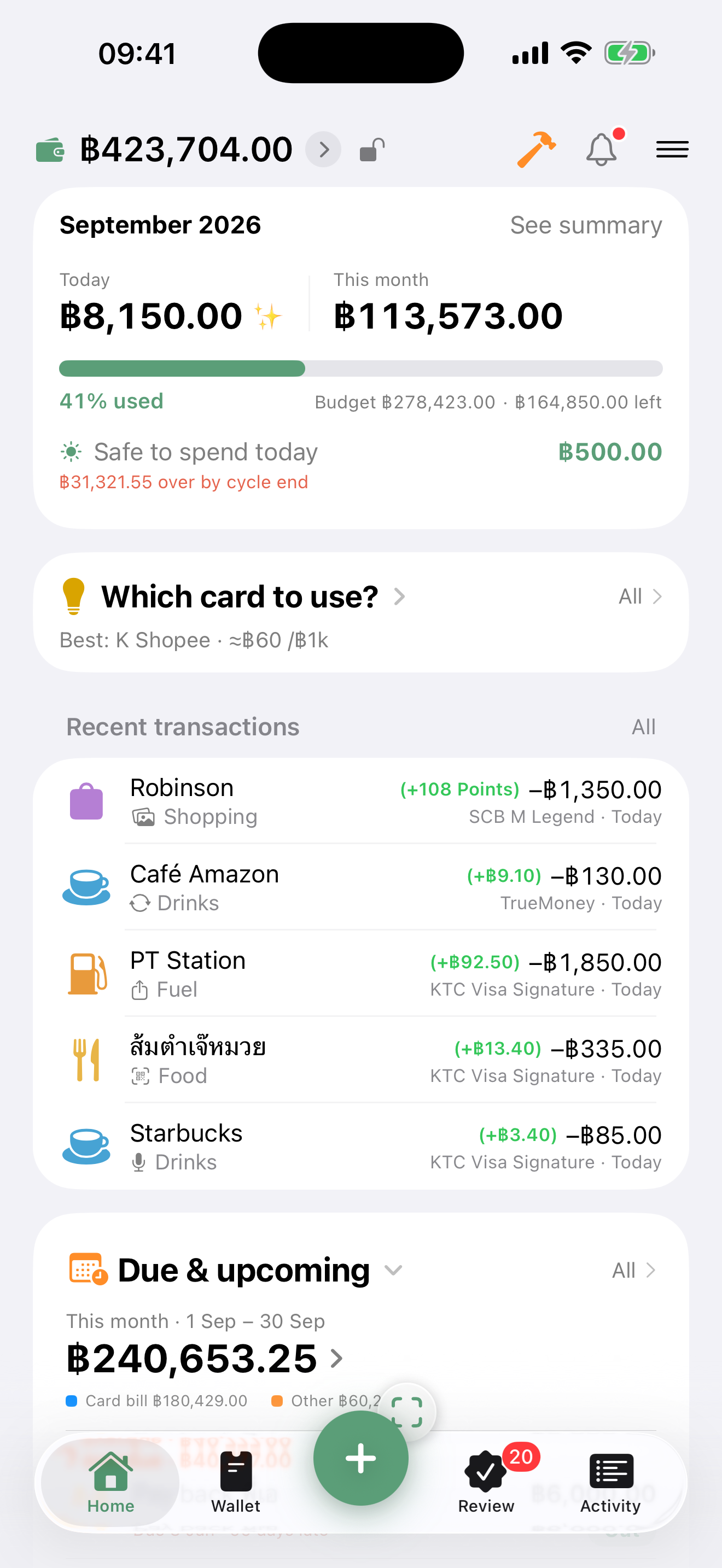
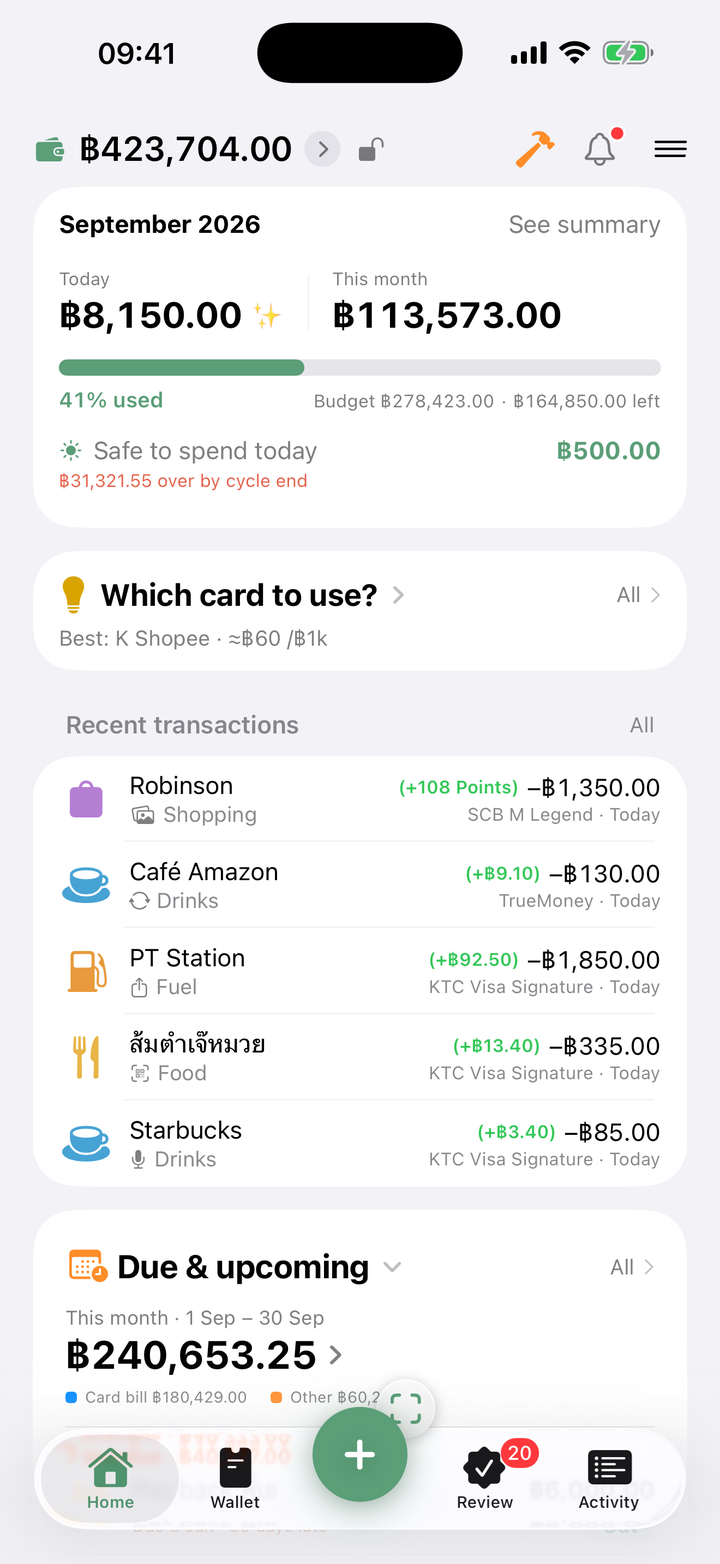
Know which card pays best — before you pay
Set your card rules once, then one tap tells you which card to use for this store or category — no rewards left on the table, no cap overshot
More ↓ ☀️ Every dayWhat you can still spend today
Set a budget around your payday and the app spreads it across the days — and warns you early if this pace blows the month
More ↓Log it any way you like — snap, speak, type, scan, or share it in
One button, pick whatever is easiest, and AI fills in the amount, the store and the category — anything it is unsure about waits in the review tray first
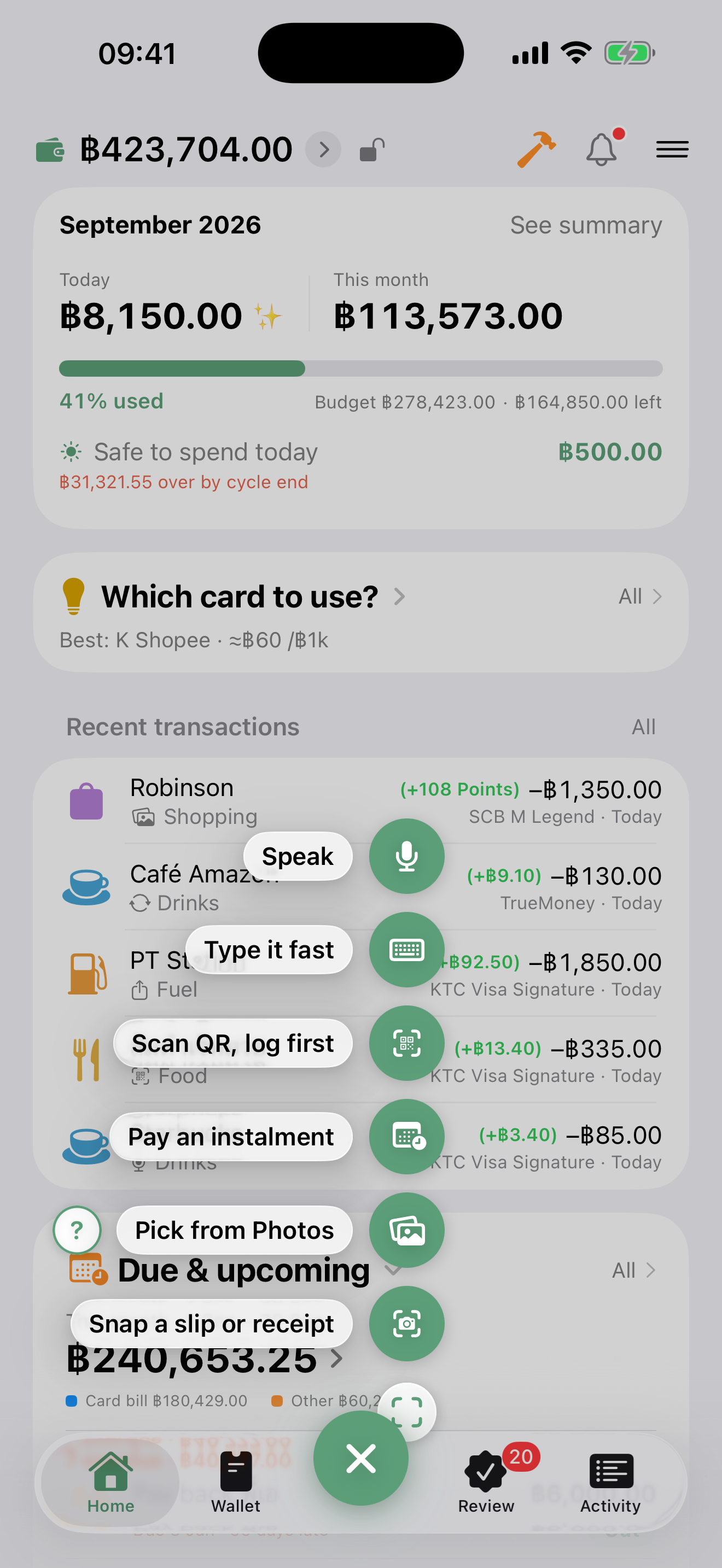
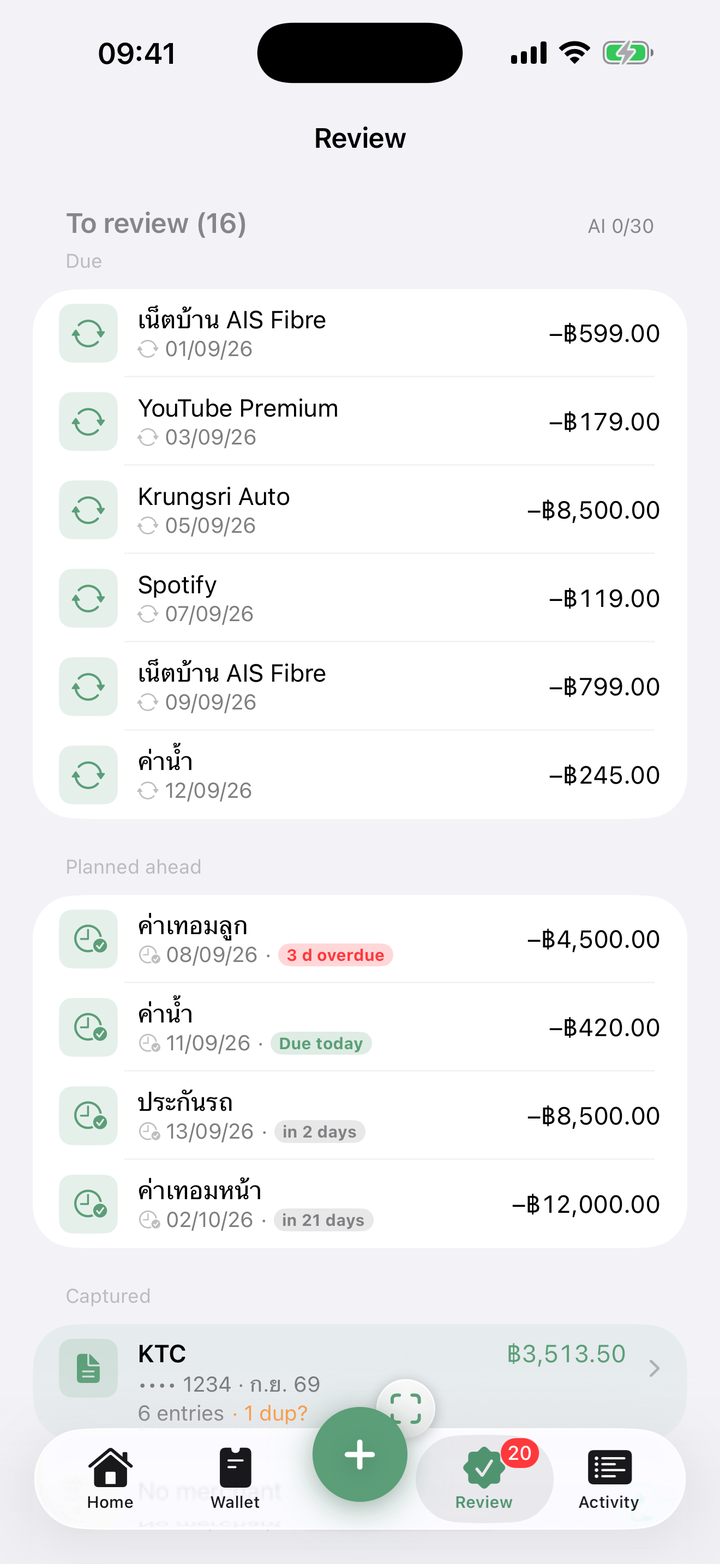
About to pay? One tap and you know which card to pull out
Enter your own card rules once — cashback, points, miles, store-only promos, co-brand cards — and the app ranks them for you every time before you pay
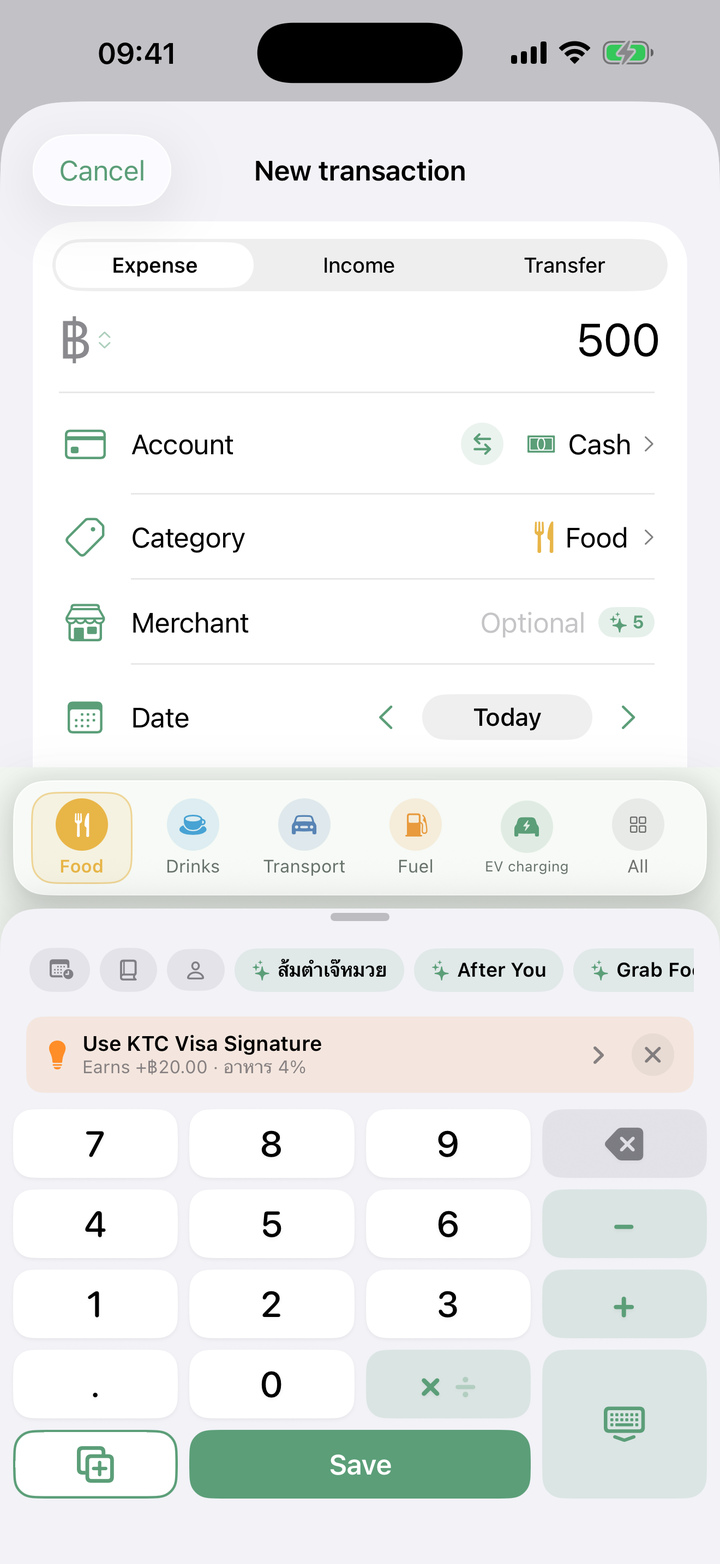
← swipe for more →
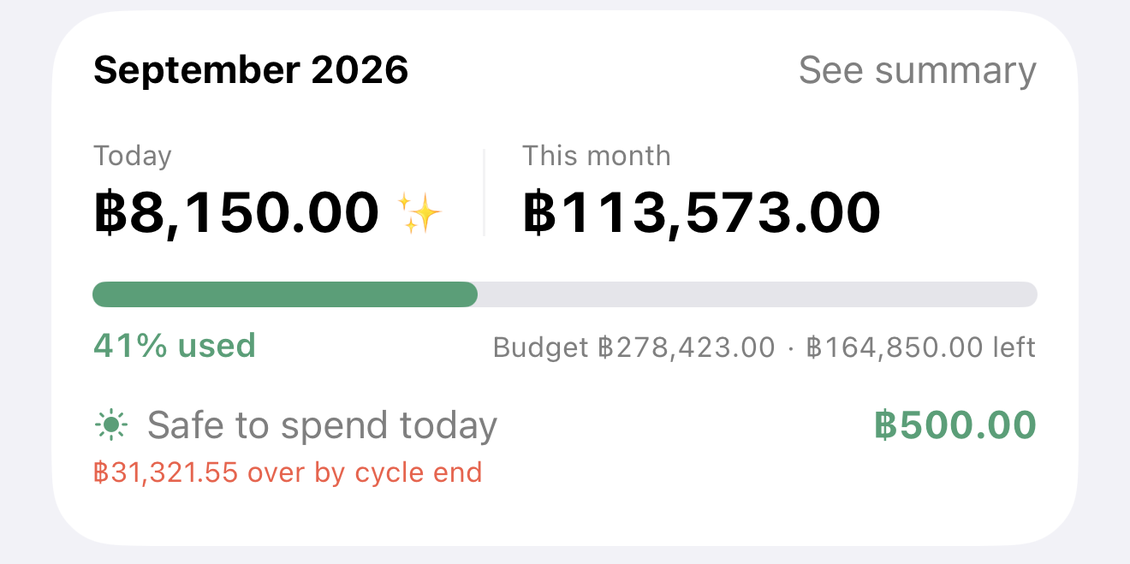
What you can still spend today — the app does the dividing
Set a monthly budget that starts on your payday and the app spreads it across the days — spend less today and tomorrow gets more, overspend and you find out before the cycle ends

Split bills and share trip costs — without the awkward chasing
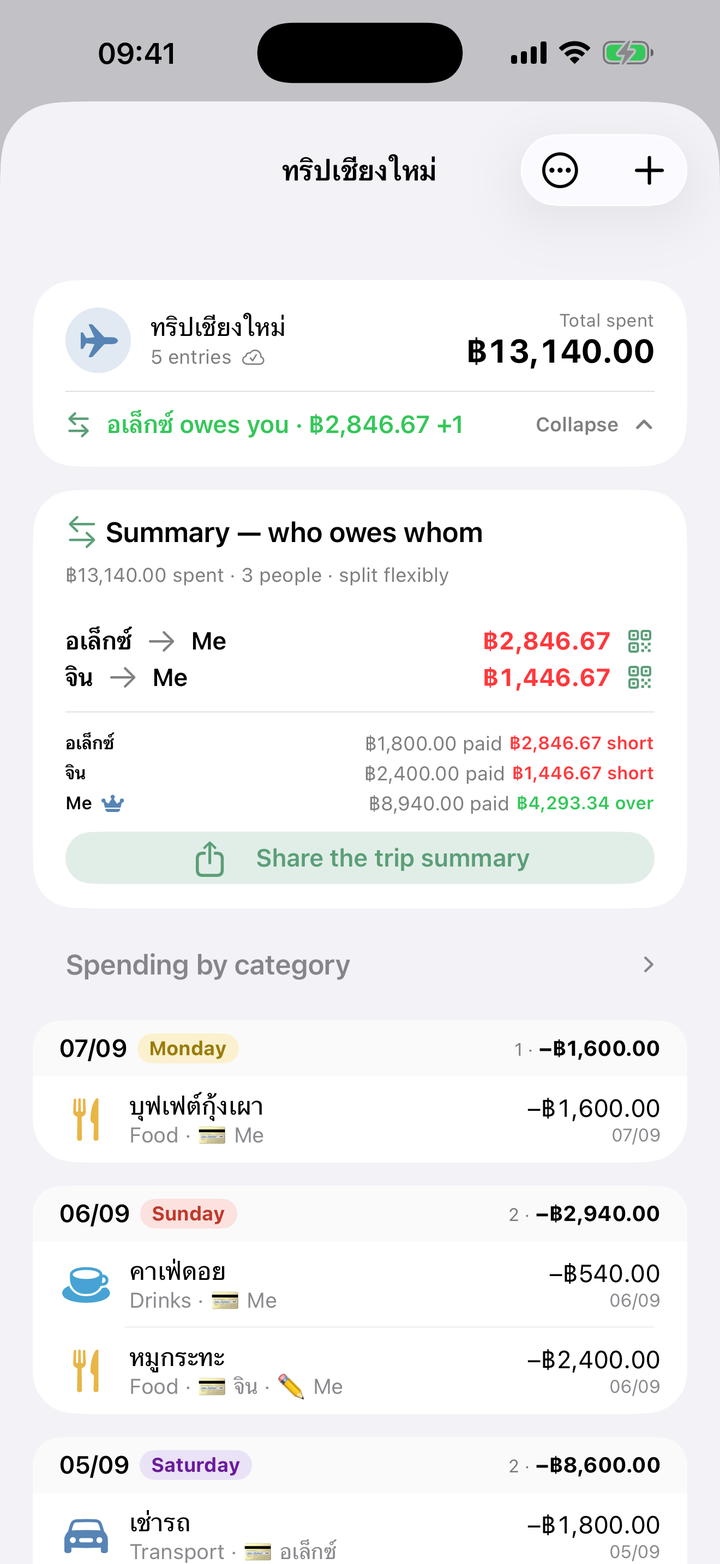
Sharing rent with a partner, or a trip abroad with friends — create a shared pocket, send the link, everyone adds their own entries, and at the end the app works out who owes whom, with a PromptPay QR to settle up on the spot (joining is free for the friends you invite)
- ✓ Split evenly, or pick who was in on each bill
- ✓ "Who owes whom" is worked out for you — no napkin maths
- ✓ A trip summary card plus a QR you can send so they can pay you back
Everything a money app should have
Not just a log of what you spent — tools that make the money easier to run, and every baht go further
Reviews on the App Store — quoted word for word, translated from Thai
I have tried a lot of expense-tracking apps, and this one is my favourite by far
Thank you for making such a good app — it is so easy and convenient to use. Rooting for you 🩷
ต้นฉบับ: “ลองใช้แอปจดบันทึกรายรับรายจ่ายมาเยอะมาก แต่ชอบของแอปนี้มากที่สุดเลย ขอบคุณที่ทำแอปดีๆ ออกมานะคะ ใช้งานง่ายและสะดวกมากเลยค่ะ เป็นกำลังใจให้นะคะ”
Easy to use, clean UI, managing my cards is simple, and I can add my own categories. Exactly what I needed.
— AHermoiGood app, cute icon, fun to use. I will definitely recommend it to people I know.
— RTN56Start free, upgrade when you are ready
- Unlimited manual entries and every summary
- Budgets, and what is left this month
- Card rules, plus the best-card pick for one category
- One savings goal — the app holds that money back and keeps an eye on it
- AI logging — 30 in your first month, then 5 a month
- Join a friend's shared pocket
- ☀️ What is left today, the pace forecast, and the morning nudge
- 💳 Best card for every category, the prompt while you are logging, and cap warnings
- 🤖 AI logging, 150 a month
- 🎯 The savings board — the app spreads the target across the squares and you tick them off · plus more than one goal
- 👥 Create as many shared pockets as you like
- 📥 Unlimited statement imports · CSV and PDF export
Frequently asked
Is the app itself in English?
Yes — Settings → Language switches the whole interface to English, and the calendar can be set to the Gregorian year instead of the Thai Buddhist era. Amounts are in Thai baht and the QR features are PromptPay, so DooSpend fits best if you spend in Thailand.
Does DooSpend read my bank account?
No. It never connects to a bank, never asks for a password, and never reads your SMS. Your entries live on your device and in your own private iCloud. When a slip gets logged, it is because you took or shared that image yourself.
How does the AI logging work, and is it safe?
You snap a slip or speak, and the AI reads out the amount, the store and a category. The image goes through our proxy to Anthropic's Claude with a random per-device id used only to count your quota — not your name, e-mail or Apple ID. The result always comes back for you to confirm before anything is saved, and the app asks for your permission before the first time it sends anything.
I do not use credit cards — is DooSpend still for me?
Absolutely. The card advisor is an extra, not the heart of the app. On cash, PromptPay or a wallet you still get all of it: AI logging from slips, "what is left today" on a payday-aligned budget, bill splitting with a who-owes-whom summary and a PromptPay QR to settle, a heads-up when a subscription has gone quiet, lending records, and QR scanning that shows you the payee before you transfer. If your wallet earns cashback or points (TrueMoney, say), you can give it reward rules just like a card.
Can I keep loan and instalment payments out of my spending?
Yes — mark it "not counted as spending", either on the single entry or on a whole category (a "mortgage" or "debt repayment" category, say). Those big amounts stop burying what you actually spent in the monthly summary and the budget, while the money still leaves your balance for real — and if you paid by card you still earn the rewards. A switch on the summary screen lets you fold them back in temporarily when you want to see the all-in figure.
How is the card advisor different from a rewards app?
DooSpend keeps no database of bank promotions. You enter your own cards' reward rules once, and the app ranks them for the category you are about to spend on, right now — including a warning before a cashback or points cap fills up. Because the rules are yours, nothing goes stale behind your back; if a bank changes its promo, you update the rule.
What about a co-brand card that only earns at one store?
Supported — set the rule to "this store only" (shopee, lazada…) and the card only earns the bonus on entries at that store. There is an "every store except" mode too, for a dining promo that excludes delivery apps. The home screen shows store chips you can tap to see which card wins there.
Is the free tier actually usable? What costs money?
Logging, budgets and what is left this month, card rules, reward tracking and one savings goal are free — and logging your own data is never paywalled. Pro (฿69/month or ฿590/year) is for the work the app does on your behalf: what you can still spend today plus the morning nudge, the best-card pick across every category with the prompt while you log and cap warnings, the savings board and extra goals, 150 AI entries a month, unlimited statement imports, and creating shared pockets.
Is it iPhone only? Is there an Android version?
For now DooSpend is built for iPhone (iOS 18 and up) so it can lean on your own private iCloud. There is no Android release yet — leave your e-mail here and you will hear when there is.
Can I bring my data over from another expense app?
Yes — import the CSV or Excel file your old app exports (Money Manager, Spendee, MoneyLover and friends) for free, or hand it a credit-card statement PDF and let the AI break the whole page into entries. Everything lands in the review queue for you to confirm before it is saved.
Ready to make every baht go further?
Free to start · no account to create · no bank details asked
Free on theApp StoreAndroid waiting list
Only used to tell you about the Android version · nothing else · ask us to delete it any time